Most toolbox talks are forgotten before the next shift. Workers zone out. Supervisors read from memory or scribbled notes. The message? Lost. The risk? Unchanged.
But when you hand a team leader a well-structured, visually clear toolbox talk topics PDF, everything shifts. It’s not just about compliance—it’s about consistency, clarity, and real behavior change. A good PDF turns a rushed 10-minute huddle into a documented, engaging safety intervention.
This isn’t about filling a binder for auditors. It’s about giving frontline leaders practical, ready-to-use content that actually sticks. And yes—there are right and wrong ways to build or source these PDFs. We’ll show you what works.
What Makes a Great Toolbox Talk Topics PDF?
Not all PDFs are created equal. A poor one is a wall of text with no visuals, outdated terminology, or irrelevant scenarios. A great one? It’s modular, actionable, and team-ready.
Key Features of High-Impact PDFs
- Modular Format: Each topic is self-contained, typically 1–2 pages.
- Clear Headlines & Subheadings: Skimmable in under 60 seconds.
- Real-World Scenarios: E.g., “Worker trips over unsecured hose near forklift zone.”
- Discussion Prompts: Not just facts—questions like “What would you do here?”
- Visual Cues: Icons for PPE, hazard zones, or step-by-step safety checks.
- Compliance Tags: OSHA, ANSI, or company policy references where relevant.
Example: A PDF on “Working at Heights” should include a photo of improper harness attachment, a checklist for anchor point inspection, and a one-question risk assessment (e.g., “Is the edge guarded or tagged?”).
Avoid PDFs that read like legal disclaimers. Your goal is engagement—not legalese.
7 High-Value Toolbox Talk Topics You Should Include
Your PDF library should cover both frequent risks and overlooked gaps. Here are the most impactful topics based on incident data and field feedback.
1. Hazard Recognition & Near Miss Reporting Workers see hazards daily—but few speak up. A PDF on this topic should emphasize psychological safety and include a simple “See It, Report It” flowchart.
Use case: A crew identifies oil pooling near a conveyor but assumes maintenance will “get to it.” A 5-minute talk using a PDF reinforces that reporting prevents slips, fires, and downtime.
2. Proper PPE Use (Beyond the Basics) Don’t just say “wear gloves.” Break it down: cut-resistant vs. chemical-resistant, when to replace gear, and common mistakes (e.g., rolled-down sleeves).

Common mistake: Workers wear steel-toe boots but with no socks—leading to blisters and non-compliance.
3. Lifting Techniques & Manual Handling Over 30% of workplace injuries involve lifting. A strong PDF includes body mechanics diagrams and asks, “Could we use a hoist?”
Tip: Add a “red flag” checklist: awkward grip, overhead lift, unstable load.
4. Hot Work Safety From welding to grinding, this topic needs clear pre-checks. Your PDF should list required permits, fire watch duties, and extinguisher checks.
Realistic gap: Teams skip fire watch because “it’s just a quick weld.” A PDF makes the rule visible and non-negotiable.
5. Confined Space Awareness Even if your site rarely uses confined spaces, awareness matters. Include entry procedures, gas testing, and rescue planning.
Limitation: A PDF isn’t certification. It should state: “This is awareness only. Full training required before entry.”
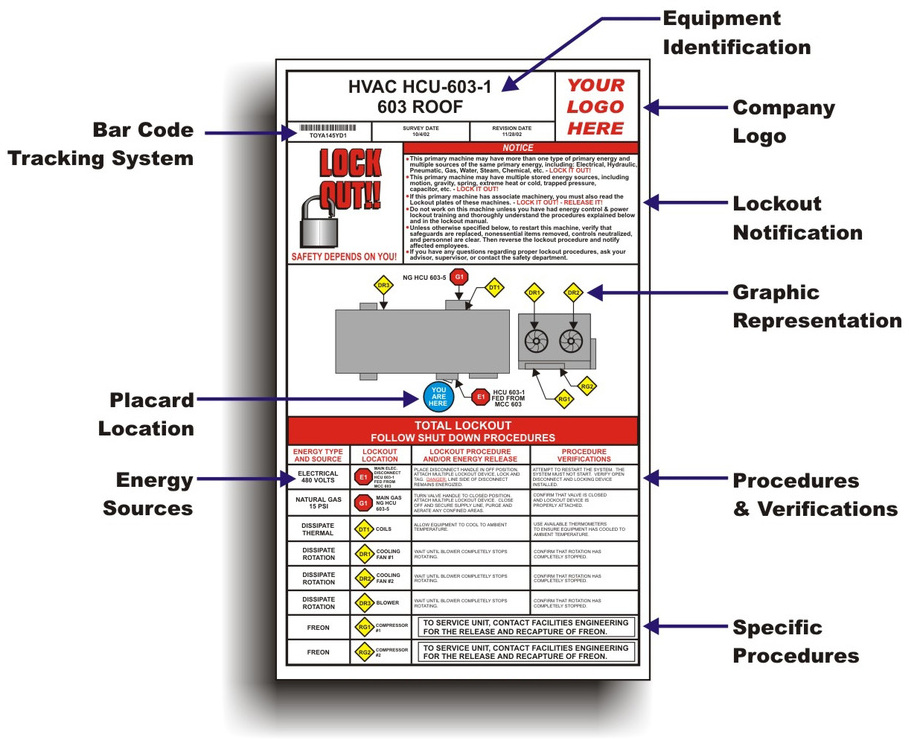
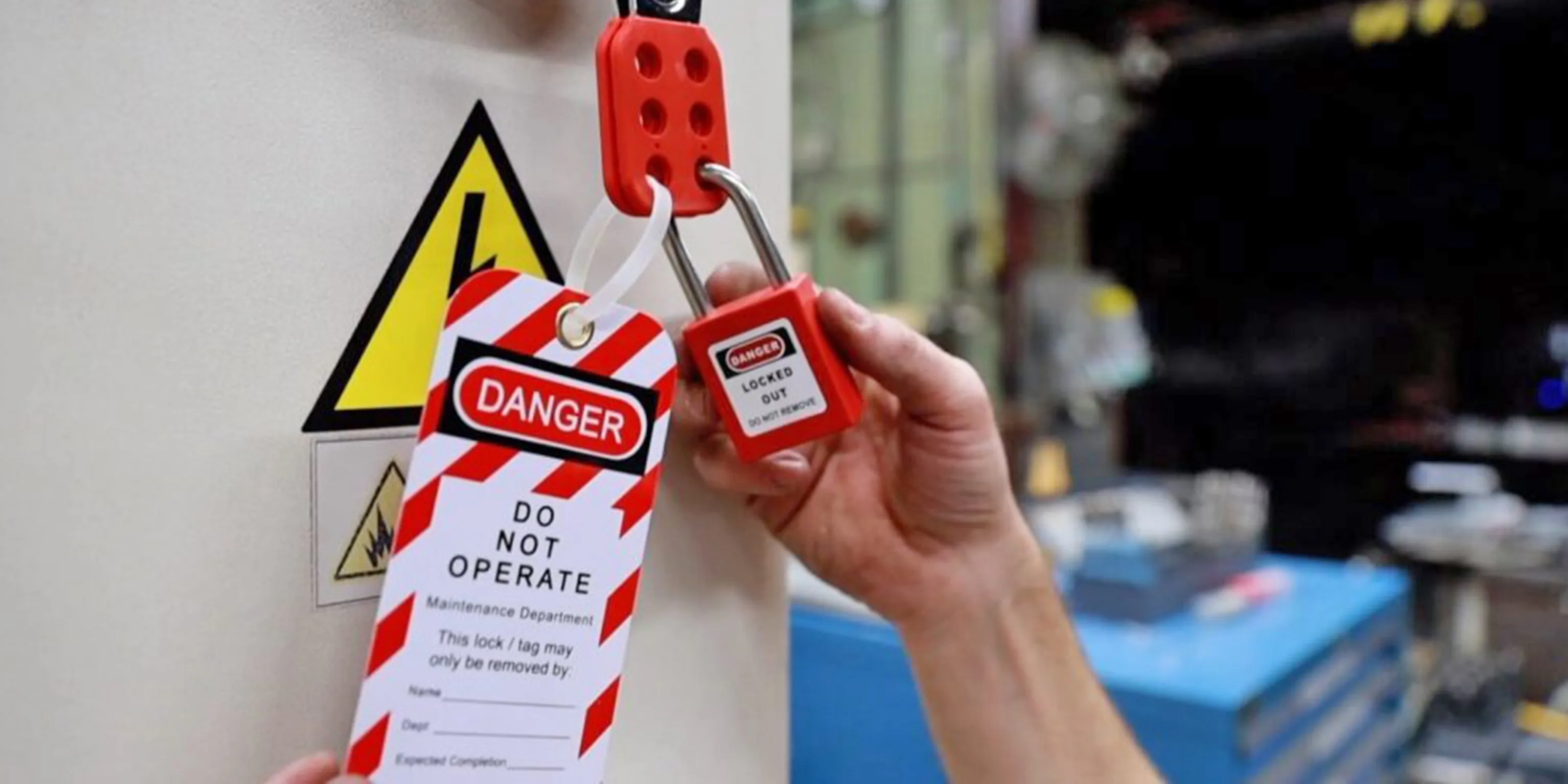
6. Electrical Safety (Lockout/Tagout) Missteps here are fatal. Your PDF must clarify LO/TO steps and include a mock checklist.
Critical insight: 60% of electrical incidents involve unauthorized re-energizing. The PDF should emphasize accountability.
7. Slips, Trips, and Falls The most common—but most preventable—incident category. Focus on housekeeping, mat placement, and proper footwear.
Engagement trick: Add a “spot the hazard” image showing cluttered walkways.
Where to Get Reliable Toolbox Talk Topics PDFs
You can create your own, but most teams lack time or design skills. Here are five proven sources:
| Source | Best For | Format | Cost | Notes |
|---|---|---|---|---|
| OSHA.gov | Compliance-aligned content | Plain text, downloadable PDFs | Free | Government-grade, but minimal visuals |
| SafetyInfo.com | Construction & manufacturing | Print-ready PDFs with images | Free (basic), $99/year (pro) | One of the most trusted libraries |
| Creative Safety Supply | Visual learners | Color PDFs with icons and infographics | Free with email signup | High engagement due to design |
| SafeStart | Behavioral safety | Scenario-based PDFs | Licensing starts at $2k/year | Used by Fortune 500s, premium quality |
| IndustrySafe Templates | Integrated reporting | Editable PDFs + digital log | Free samples, full access via software | Best if you use their incident tracking |
Workflow tip: Download 2–3 free options, customize headers with your logo, and save as master templates. Never use generic content without tailoring.
How to Customize PDFs for Your Team (Without Design Skills)
A PDF from a general site might mention “chemical exposure”—but your team handles acetone. Update it.
Simple Customization Steps:
- Add Site-Specific Photos
- Replace stock images with real shots from your facility. A tagged valve, your break room layout, or your PPE wall.

- Insert Local Procedures
- Reference your permit system, supervisor names, or internal hotline.
- Highlight Real Incidents (Anonymized)
- “Last month, a near miss occurred during night shift loading—here’s how we prevent recurrence.”
- Use Editable PDF Tools
- Tools like Adobe Acrobat Pro or free versions like PDFescape let you add text boxes, checkmarks, and logos.
- Include a Sign-Off Sheet
- Attach a page with names, dates, and signatures. Store digitally or in binders.
Pro move: Create a version control system. Label files as “Toolbox_V2_Confined_Space_2025” so outdated versions don’t circulate.
Common Mistakes When Using Toolbox Talk PDFs
Even good content fails with poor delivery. Avoid these traps:
- One-size-fits-all talks: Using the same fall protection PDF for warehouse staff and roofers. Tailor depth and examples.
- No follow-up: Talking about PPE but not checking if workers actually wear it afterward.
- Overloading content: A 5-page PDF for a 10-minute talk. Stick to one core message.
- Ignoring feedback: If crews say a topic was irrelevant, revise or replace it.
- Skipping documentation: No signature log = no proof for audits.
Example of failure: A supervisor prints a “Heat Stress” PDF in January. Workers disengage because it feels disconnected from current conditions.
Fix: Rotate topics seasonally. Summer? Sun exposure, hydration. Winter? Ice, visibility, layered clothing.
Making PDFs Part of Your Safety Workflow
A PDF shouldn’t sit in a folder. It should drive action.
Integration Tips:
- Schedule in Advance: Plan talks weekly. Assign topics every Monday.
- Pair with Observations: After a “Lifting Techniques” talk, supervisors watch for proper form during the shift.
- Link to Training Records: File signed PDFs with individual training logs.
- Rotate Facilitators: Let experienced workers lead talks using the PDF—boosts ownership.
- Review Quarterly: Audit which topics had the most engagement or incident drops.
One manufacturing plant reduced hand injuries by 40% after running a 6-week series on “Hand Protection Hazards,” each using a tailored PDF with real photos from their lines.
The Bottom Line: Use PDFs as Tools, Not Tokens
A toolbox talk topics PDF isn’t a checkbox. It’s a delivery mechanism for safety culture.
When chosen wisely, customized thoughtfully, and delivered consistently, it transforms vague warnings into clear, memorable guidance. It gives every team leader—regardless of experience—the tools to lead an effective safety huddle.
Start with 3–5 core topics. Download or create clean, visual PDFs. Customize with your site’s reality. Track attendance. Follow up.
Do that, and your next audit won’t just pass—it’ll impress.
FAQ
What should you look for in Top Toolbox Talk Topics PDF Guides for Workplace Safety? Focus on relevance, practical value, and how well the solution matches real user intent.
Is Top Toolbox Talk Topics PDF Guides for Workplace Safety suitable for beginners? That depends on the workflow, but a clear step-by-step approach usually makes it easier to start.
How do you compare options around Top Toolbox Talk Topics PDF Guides for Workplace Safety? Compare features, trust signals, limitations, pricing, and ease of implementation.
What mistakes should you avoid? Avoid generic choices, weak validation, and decisions based only on marketing claims.
What is the next best step? Shortlist the most relevant options, validate them quickly, and refine from real-world results.