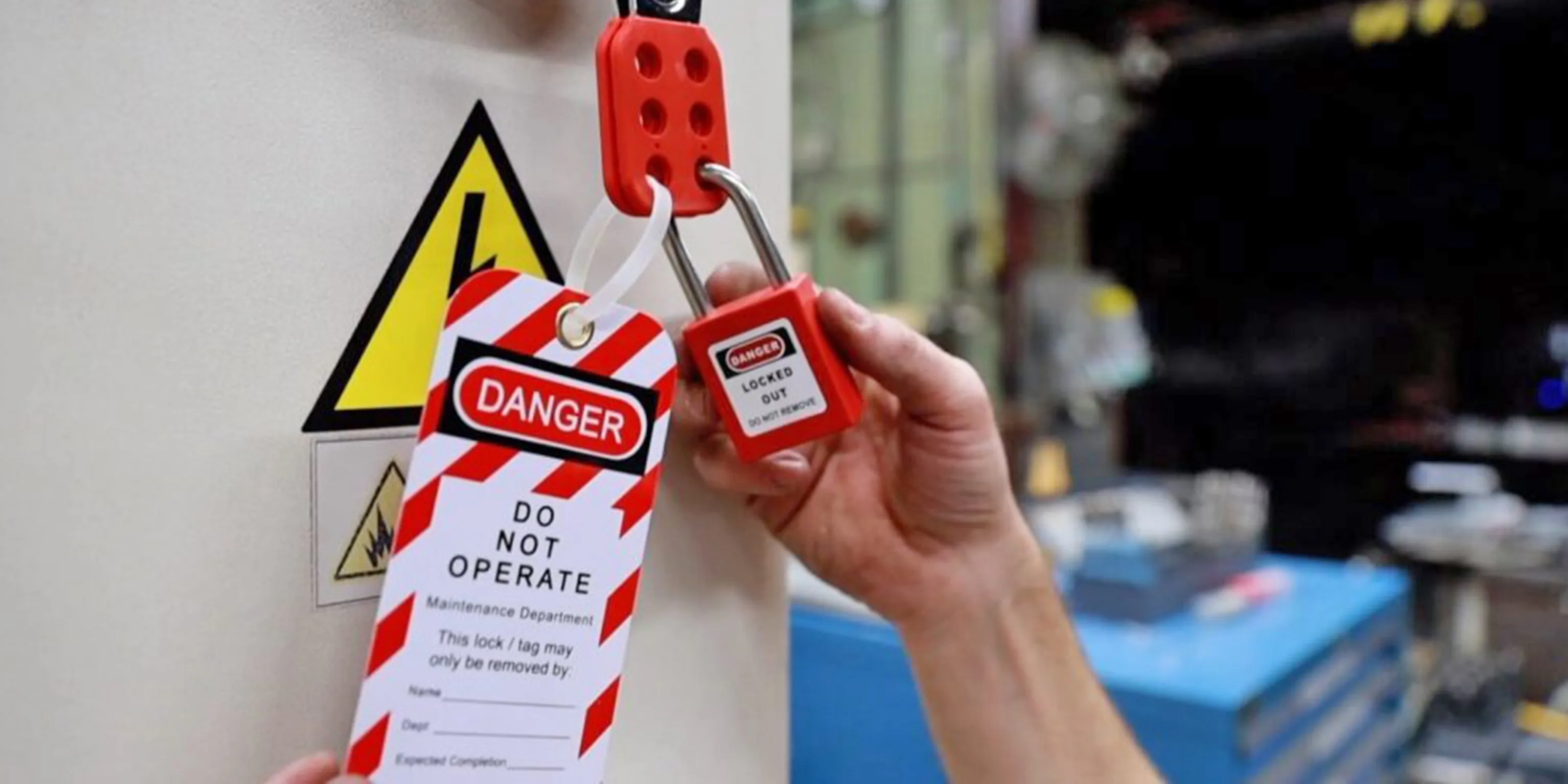
Equipment fails. People rush. Procedures get skipped. That’s when lockout/tagout (LOTO) becomes the last line of defense against serious injury. A missing or poorly filled-out tag can turn routine maintenance into a life-altering event. Yet, many teams still rely on handwritten notes, sticky labels, or no tags at all—because they assume proper lockout materials are expensive or hard to get.
They’re wrong.
Free printable lockout tags solve this gap. They’re accessible, compliant, and customizable—making them ideal for small shops, schools, maintenance crews, and facilities just starting their safety programs. More importantly, they enforce accountability. Every time a worker prints, fills, and attaches a tag, they confirm: This machine is down. No one touches it until I say so.
But not all free tags are created equal. Some lack critical fields. Others use vague language that won’t hold up under OSHA review. The best ones mirror industrial-grade templates while remaining easy to modify and print on standard paper or cardstock.
Let’s break down how to use them effectively, where to find the most reliable ones, and how to avoid common pitfalls that undermine their purpose.
Why Printable Lockout Tags Matter
Lockout tags aren’t just paperwork—they’re part of a legal and procedural framework. OSHA standard 29 CFR 1910.147 requires that energy-isolating devices be tagged during servicing. The tag must include:
- The name of the authorized employee
- Date and time of application
- Reason for the lockout
- Warning statement (e.g., “Do Not Operate”)
Handwritten tags can meet these requirements, but they’re inconsistent. Misspelled names, smudged ink, or missing fields weaken their authority. Printable tags standardize the message and reduce errors.
More importantly, they scale. One master template can be used across departments, printed on demand, and archived digitally. For temporary contractors or rotating shifts, this consistency is critical.
Real use case: A maintenance team at a regional food processing plant printed LOTO tags from a free template. During an audit, OSHA noted the tags were uniform, fully completed, and matched the facility’s lockout log. The plant passed with zero citations related to energy control.
Key Features of Effective Printable Tags Before downloading any free template, verify it includes these essentials:

- Bold warning header – Phrases like “Danger: Do Not Operate” in high-contrast colors (red/white or yellow/black)
- Clear employee fields – Name, department, contact method
- Lockout timeline – Start time, expected release time
- Equipment ID – Machine name, number, or location
- Purpose of lockout – Brief description of the work being done
- Signature line – Physical or digital signature for accountability
- Compliance note – Reference to OSHA 1910.147 or internal policy
- Space for multiple locks – If used in group lockout scenarios
Avoid templates that are too sparse or overly complex. The goal is clarity under pressure.
Common mistake: Using a tag with no space for time of application. During a fast-paced shift change, a missing timestamp can lead to assumptions—and accidental re-energizing.
Top 5 Sources for Free Printable Lockout Tags
Not all free resources are reliable. These five provide professional, compliant, and truly free templates:
| Source | Format | Customization | Notes |
|---|---|---|---|
| OSHA.gov | Low | Official templates; minimal design but fully compliant | |
| National Safety Council (NSC) | PDF, Word | Medium | Clean layouts; requires free account |
| SafetySign.com | High | Industry-standard designs; free section includes editable tags | |
| EHS Daily Advisor | Medium | Practical templates with multilingual options | |
| Template.net (free section) | Word, PDF | High | User-friendly; some require attribution |
Pro tip: Download from OSHA or NSC first. They’re non-commercial and built to withstand regulatory scrutiny.
For teams needing branding, use the Word templates from SafetySign or Template.net. You can insert your company logo, modify fields, and print on colored paper (e.g., neon red) to increase visibility.
When Printable Tags Aren’t Enough
Printed paper tags have limitations. They tear. They fade. They can be removed accidentally—or intentionally. In high-moisture, outdoor, or high-traffic environments, they may not last the duration of the job.
Use cases where enhanced durability is better: - Outdoor valve lockouts exposed to rain - Chemical processing areas with solvent exposure - Facilities with frequent cleaning or pressure washing
In these cases, printable tags work best as temporary or training tools. Transition to laminated versions or buy affordable vinyl tags in bulk once procedures are stable.
Also, never rely on printable tags alone in group lockout situations. Each worker must apply their own lock and tag. A single printed tag doesn’t fulfill the “authorized employee” requirement for multiple people.
Workflow tip: Print a batch of tags at the start of the month. Keep them in a labeled binder near the lockout station. Pair with a checklist so nothing is missed.
How to Customize and Deploy Printable Tags

- Choose your template – Start with OSHA’s basic form or a Word version for editing.
- Add required fields – Insert your facility name, common equipment list, or emergency contact.
- Test print – Use cardstock or bright-colored paper for visibility.
- Train your team – Show them how to fill out every field—no blanks.
- Audit monthly – Randomly check 3–5 used tags for completeness.
Example customization: A school district modified a free tag to include a “Room Number” field. Custodial staff servicing HVAC units in different buildings could now identify the exact location at a glance.
Avoid over-editing. Don’t clutter the tag with logos, disclaimers, or multiple fonts. The worker on the floor should grasp the message in under three seconds.
Avoiding Common Printable Tag Mistakes
Even compliant templates fail when used poorly. Watch for these red flags:
- Blank fields – “Name” or “Date” left empty undermines the entire process
- Generic reasons – “Maintenance” isn’t enough. Write “Replacing conveyor motor” instead
- Shared tags – Each worker must use their own tag during group lockouts
- Tag-only use – Tags must accompany a physical lock. Never tag without locking
- Poor placement – Tags hidden behind pipes or under equipment are non-compliant
Real incident: A technician in a manufacturing plant used a handwritten tag on a hydraulic press. The tag fell off during a shift change. The next operator assumed the machine was ready. The result: a crushed hand. A printed, securely fastened tag might not have prevented the lock removal—but it would have created a clearer audit trail.
Integrating Printable Tags into Your LOTO Program
Free printable tags aren’t a standalone fix. They work best as part of a broader energy control program:
- Train all authorized employees on lockout procedures
- - Use the tags during drills and real maintenance
- Maintain a log of each lockout event (optional but recommended)
- Review annually with a safety officer or supervisor
For small businesses without a full EHS team, printable tags lower the barrier to compliance. They turn abstract safety rules into tangible actions.
Pro insight: Pair your printed tags with a laminated pocket checklist. Include steps like: - Identify all energy sources - Shut down equipment properly - Isolate with lock and tag - Verify zero energy - Begin work
This combo reduces oversights and builds muscle memory.
Final Thoughts: Start Simple, Stay Consistent
Free printable lockout tags are more than a cost-saving tool—they’re an entry point to a culture of safety. You don’t need expensive software or pre-printed vinyl rolls to protect your team. You need clarity, consistency, and commitment.
Download a compliant template today. Print a stack. Train your crew. Use them every time. A few minutes of preparation can prevent a lifetime of regret.
Action step: Print five blank tags now. Fill them out with hypothetical scenarios. Review them with your team. Refine your process before the next real lockout.
Frequently Asked Questions
Can I use free printable tags for OSHA compliance? Yes, as long as they include all required fields and are properly filled out and attached.
Do printable tags need to be laminated? Not required, but laminating improves durability in harsh environments.
Can multiple workers use the same printed tag? No. Each authorized employee must apply their own lock and tag.
Where should lockout tags be placed? On or near the energy-isolating device, where they’re clearly visible to anyone attempting to operate the equipment.
Are digital lockout tags acceptable? Only if part of an approved electronic LOTO system. Printable paper tags are still the standard for most workplaces.
Can I edit free templates to add my company name? Yes, many free templates (especially Word or editable PDFs) allow customization.
How long should used tags be kept? OSHA doesn’t specify retention time, but keeping them for at least one year supports audits and incident reviews.
FAQ
What should you look for in Free Printable Lockout Tags for Workplace Safety? Focus on relevance, practical value, and how well the solution matches real user intent.
Is Free Printable Lockout Tags for Workplace Safety suitable for beginners? That depends on the workflow, but a clear step-by-step approach usually makes it easier to start.
How do you compare options around Free Printable Lockout Tags for Workplace Safety? Compare features, trust signals, limitations, pricing, and ease of implementation.
What mistakes should you avoid? Avoid generic choices, weak validation, and decisions based only on marketing claims.
What is the next best step? Shortlist the most relevant options, validate them quickly, and refine from real-world results.