You’re finishing work on a shared computer. You close the browser. Did you just tag out or log out? The answer depends on environment, system, and context. While often used interchangeably, "tag out" and "log out" represent distinct actions with real consequences for security, access, and operational continuity.
Misunderstanding these terms can lead to security breaches, workflow interruptions, or miscommunication—especially in industrial, enterprise, or multi-user systems. This guide clarifies exactly what each term means, where they apply, and how confusion between them can cost time, data, or safety.
What "Log Out" Really Means
"Log out" is the standard digital term for ending a user session on a software platform, website, or system. When you log out, you terminate your authenticated access. The system releases your session data (unless saved), clears temporary credentials, and returns to a login screen.
Common examples: - Exiting your email account on a public computer - Signing out of your banking app after a transaction - Logging off a company CRM after a shift
Logging out is a digital security practice. It prevents unauthorized access when devices are shared or left unattended.
Why it matters: Failing to log out on a shared device risks data exposure. One 2023 workplace study found that 37% of internal data leaks stemmed from active, unattended sessions.
Best practice: Always log out—even on personal devices—when using sensitive platforms. Don’t rely on auto-logout timers.
The Real Meaning of "Tag Out" in Practice
"Tag out" is not a universal digital term. It originates in industrial safety and access control systems, especially in manufacturing, utilities, and maintenance operations.
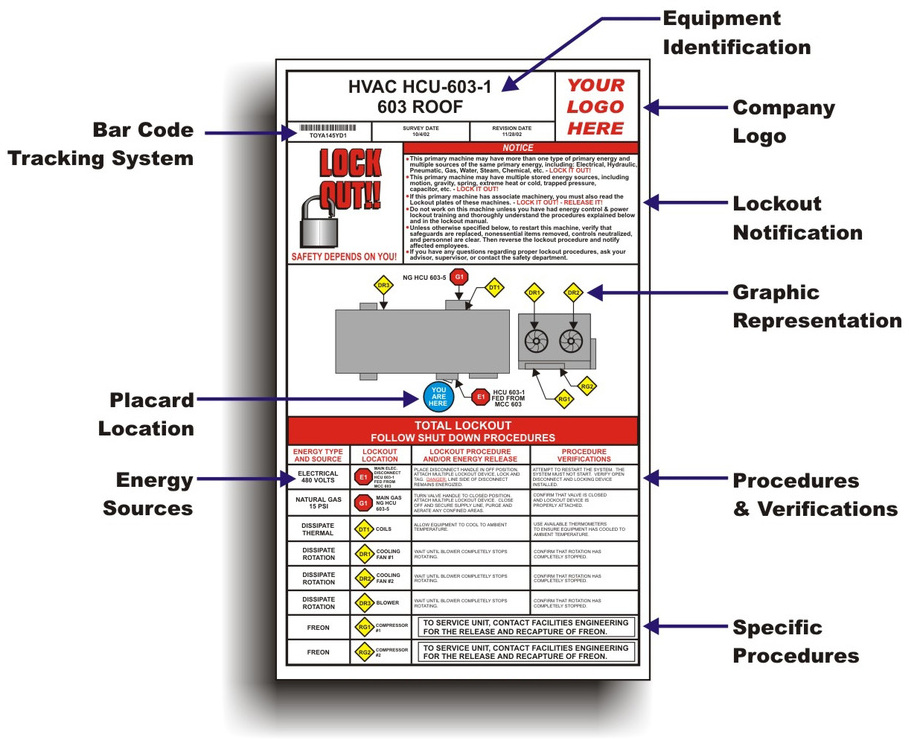
In these environments, "tag out" refers to physically locking and labeling equipment to indicate it’s unsafe to operate—often part of a Lockout/Tagout (LOTO) procedure. But in digital workflows, “tag out” takes on a different meaning.
Digital "tag out" contexts: - Time and attendance systems: Workers “tag out” at the end of a shift using a badge, card, or biometric scan. - Access control: Employees “tag out” of secure areas by scanning credentials at exit points. - Shared software tools: In some ERP or field service platforms, users “tag out” to release a task, asset, or assignment.
Unlike logging out, "tag out" often implies transition, not just disengagement. It signals: I’m done, the system should update my status, and someone else may now act.
Example: A field technician tags out of a work order in a maintenance app. That action notifies the supervisor, closes the ticket, and makes the equipment available for the next job.
Where Confusion Happens: Overlapping Use Cases

The overlap between "tag out" and "log out" occurs in systems that blend physical and digital workflows—especially in enterprise environments.
Imagine a warehouse worker: - Logs into a tablet to access inventory software (log in) - Scans items during the shift - At shift end, "tags out" via the same device to record time - But forgets to "log out" of the app
The system knows they’ve finished work (tag out = time recorded), but their session remains active (no log out). Another worker could pick up the tablet and access their account.
This dual-action requirement is common in: - Healthcare (doctors tag out of patient rooms but must log out of EHR systems) - Manufacturing (operators tag out of machines but stay logged into HMIs) - Transportation (drivers tag out of routes but leave fleet apps running)
Critical takeaway: Tagging out ≠ logging out. One tracks presence or task status. The other secures data access.
Common Mistakes and How to Avoid Them
Even experienced users mix up these actions. Here are real-world errors and how to fix them:
#### Mistake 1: Assuming "Tag Out" Ends Your Session In time-tracking systems, tagging out often returns you to a home screen—but doesn’t close your login. Always confirm session termination.
Fix: Design systems to auto-log out after tag out, or add a confirmation prompt: “You’ve tagged out. Log out now?”
#### Mistake 2: Using "Log Out" in Safety-Critical Environments Telling a technician to “log out” of a machine doesn’t convey the urgency of a physical lockout. “Tag out” is the correct procedural term.
Fix: Reserve “log out” for digital systems, “tag out” for equipment safety.
#### Mistake 3: Ignoring Audit Trails Both actions should be logged. A missing tag out could mean a worker didn’t finish a task. A missing log out could mean a security risk.
Fix: Enable logging for both events. Review discrepancies in shift handover reports.
When to Use Each Term: A Decision Framework
Use this guide to choose the right term in your environment:
| Scenario | Use "Tag Out" When | Use "Log Out" When |
|---|---|---|
| Shift ends | Recording time, releasing tasks, exiting access zones | Ending digital access to apps or systems |
| Equipment use | Locking out machinery, signaling maintenance | N/A (not applicable) |
| Shared device | Transitioning responsibility (e.g., nurse to nurse) | Securing patient data or personal accounts |
| Mobile app | Completing a field job or delivery | Closing the app after use |
| Security protocol | Physical safety is a concern | Data privacy is the priority |

Rule of thumb: - Tag out = I’m done with my role, task, or physical access. - Log out = I’m securing my digital identity and session.
Tools and Platforms That Use Both Actions
Many enterprise systems require both tag out and log out. Here are five platforms where this distinction is critical—and how they handle it:
- SAP Fieldglass (Workforce Management)
- - Workers tag out of shifts to record time
- - Must log out separately to exit the portal
- - Risk: Active sessions after shift end
- ServiceNow (IT & Operations)
- - Technicians tag out of incidents or changes
- - Logging out ensures no unauthorized access
- - Audit logs track both events
- Oracle HCM (Human Capital Management)
- - Time tracking uses “clock out” (synonym for tag out)
- - Separate log out for system access
- - Mobile app defaults to stay logged in
- Salesforce Field Service
- - Users tag out of service appointments
- - Session remains active unless manually logged out
- - Admins can enforce auto-logoff policies
- Kronos (Time and Attendance)
- - Employees tag in/out via biometric scanners
- - Web portal requires separate log out
- - Common issue: shared kiosks left logged in
Best practice for admins: Configure systems to auto-log out after tag out, or display reminders. Train users to perform both actions when necessary.
Designing Better Workflows: Bridging the Gap
Organizations can reduce confusion by aligning terminology with action.
Tips for IT and operations teams: - Use consistent language: Don’t switch between “clock out,” “tag out,” and “log out” in the same system. - Combine actions when safe: If tagging out always means the user is done, trigger auto-log out. - Train with scenarios: Show real examples of what happens if you tag out but don’t log out. - Add visual cues: Use distinct icons—e.g., a badge for tag out, a door for log out.
User experience insight: A 2022 usability study found that workers in industrial settings were 68% more likely to complete both actions when the system showed: > “You’ve tagged out. Your shift is complete. Log out to secure your account.”
Small prompts reduce risk.
Final Verdict: They’re Not Interchangeable
"Tag out" and "log out" serve different purposes. One tracks operational status. The other protects data. Using them correctly isn’t just about terminology—it’s about security, accountability, and workflow efficiency.
In safety environments, “tag out” is non-negotiable. In digital spaces, “log out” is essential. When systems combine both, users must do both—unless automation bridges the gap.
Never assume one action covers both. Always verify.
Take action now: Audit your team’s workflow. Are users tagging out but not logging out? Is terminology consistent? Update training materials and system prompts to eliminate confusion. One misplaced click could expose data or delay operations. Fix it before it becomes a problem.
FAQ
What should you look for in Tag Out vs Log Out: What’s the Difference and When to Use Each? Focus on relevance, practical value, and how well the solution matches real user intent.
Is Tag Out vs Log Out: What’s the Difference and When to Use Each suitable for beginners? That depends on the workflow, but a clear step-by-step approach usually makes it easier to start.
How do you compare options around Tag Out vs Log Out: What’s the Difference and When to Use Each? Compare features, trust signals, limitations, pricing, and ease of implementation.
What mistakes should you avoid? Avoid generic choices, weak validation, and decisions based only on marketing claims.
What is the next best step? Shortlist the most relevant options, validate them quickly, and refine from real-world results.