Equipment failure. Unexpected startup. A split-second lapse in protocol. These aren’t just risks—they’re predictable outcomes when lock out tag out (LOTO) procedures are ignored or poorly documented. At the heart of an effective energy control program lies a simple but critical tool: the lock out tag out PDF form. More than just a checklist, it’s a legal safeguard, a communication bridge, and a procedural anchor for teams working on hazardous machinery.
A well-structured LOTO PDF form ensures every step—from shutdown to verification to re-energizing—is documented, traceable, and auditable. In this guide, we break down the anatomy of an effective form, common pitfalls, realistic applications, and where to find or build templates that meet OSHA standards and real-world usability.
Why a LOTO PDF Form Is Non-Negotiable
OSHA’s 29 CFR 1910.147 mandates that employers establish a formal energy control program. Central to that program is documentation. Without it, safety becomes subjective, accountability vanishes, and compliance collapses under inspection.
A LOTO PDF form standardizes the process. It forces consistency across shifts, contractors, and equipment types. When a technician downloads a PDF, fills it out digitally or prints it, and attaches it to a lockout station, they create a permanent record. This isn’t bureaucratic overhead—it’s proof that due diligence occurred.
Consider this real-world case: A maintenance team at a Midwest packaging plant avoided a crushing incident because the LOTO form flagged an overlooked hydraulic line. The form’s “Verify Zero Energy” section prompted a double-check with a pressure gauge. The result? A near-miss turned into a safety win—all because the form prompted a step that memory alone might have skipped.
Key Components of an Effective Lock Out Tag Out PDF Form
Not all forms are created equal. A generic checklist won’t cut it. An effective LOTO PDF form includes the following sections:
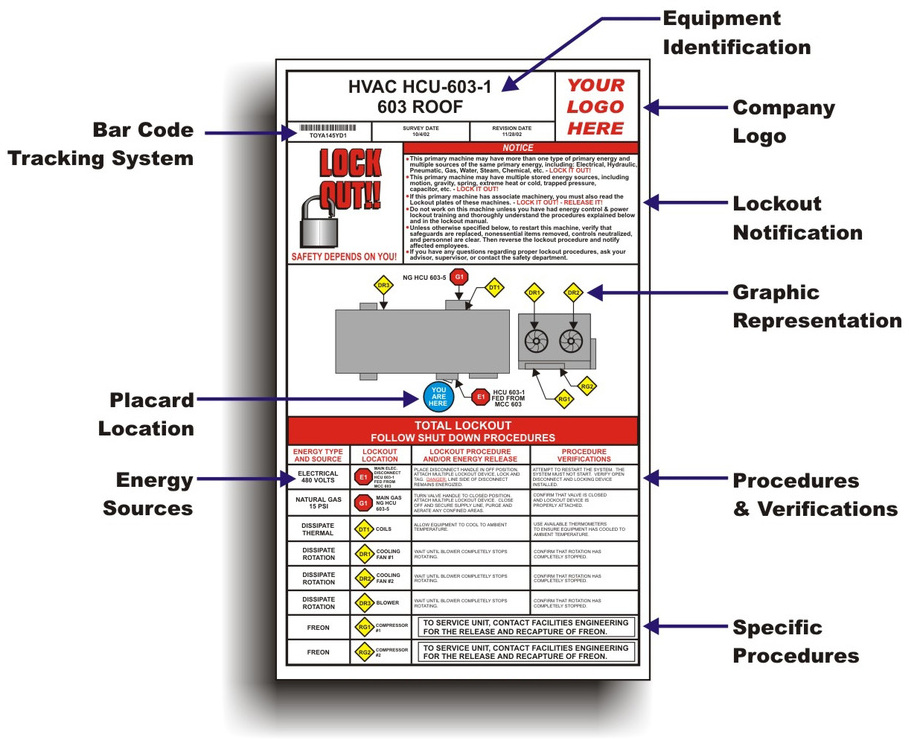
#### 1. Equipment Identification - Machine name, ID number, and location - Type of energy sources (electrical, pneumatic, hydraulic, chemical, etc.)
Pro Tip: Use barcodes or QR codes in the PDF so technicians can scan and auto-fill machine data via mobile apps.
#### 2. Authorized Employee Details - Name, employee ID, department - Signature field (digital or handwritten)
This section ensures only trained personnel initiate lockout. It also assigns ownership—critical during audits.
#### 3. Shutdown Procedure - Step-by-step shutdown instructions - Confirmation checkmarks for each action
Ambiguity kills. Vague entries like “turn off machine” lead to inconsistent execution. Instead, specify: “Flip breaker #42 in Panel B to OFF.”
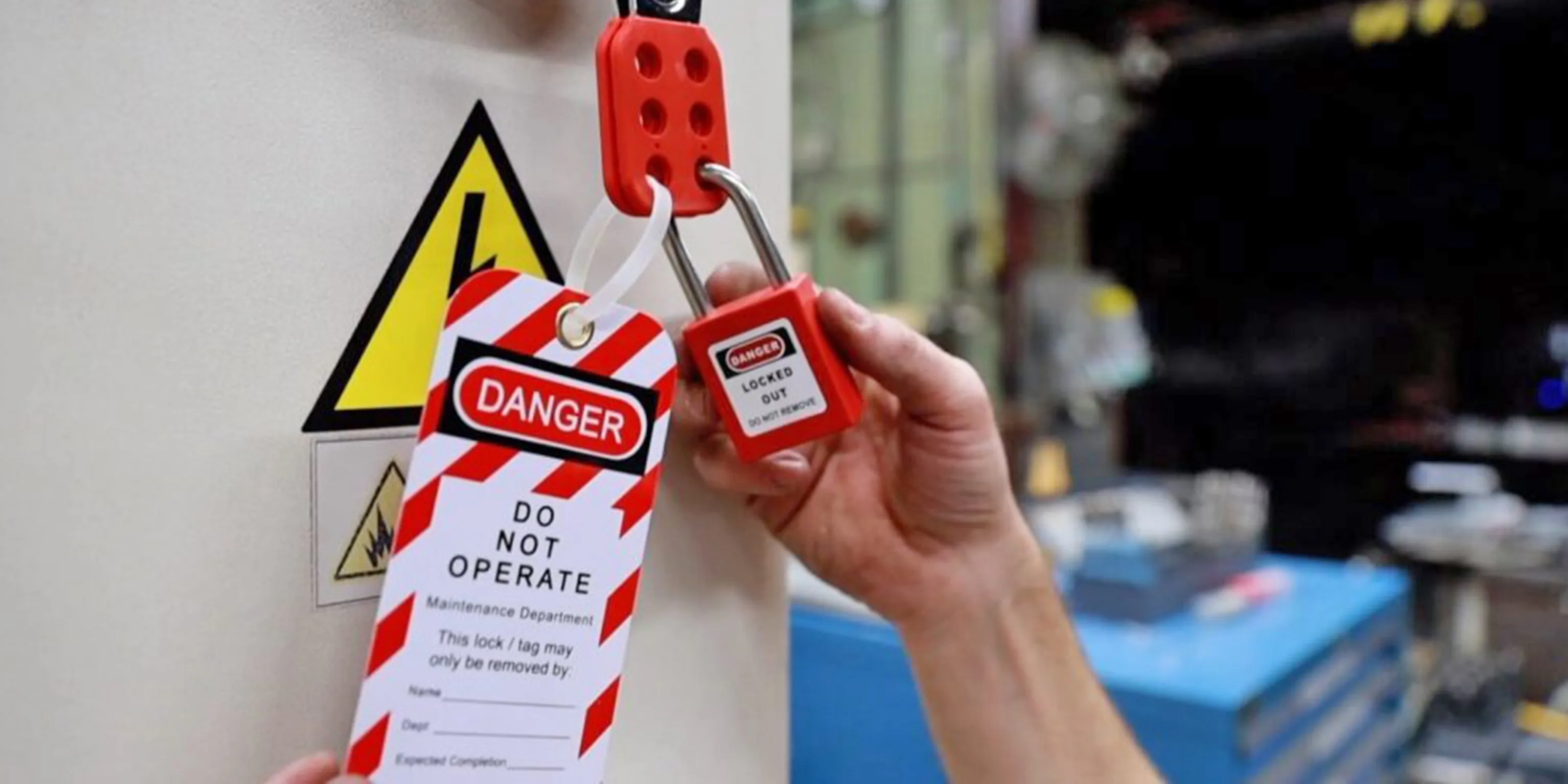
#### 4. Lock and Tag Application - List of lockout devices used (hasp, valve lock, circuit breaker lock) - Tag details: reason for lockout, date, time, expected duration
Each tag should include a warning like: “Do Not Operate – Maintenance in Progress.”
#### 5. Verification of Isolation - Methods used to confirm zero energy (e.g., test with multimeter, bleed lines) - Witness signature (if required)
This is where many programs fail. Workers assume isolation is complete without testing. The form must require documented proof.
#### 6. Clearance and Re-energizing - Final inspection confirmation - Sign-off by the authorized employee who applied the lock

Never allow someone else to remove your lock. The form should prevent this by design.
Common Mistakes That Undermine LOTO Forms
Even with a PDF in hand, errors slip through. Here are the most frequent missteps:
- Blank or incomplete fields: Skipping the verification section because “it’s routine.”
- Generic equipment names: “Production Machine” instead of “Conveyor Line C – Mixer Feed.”
- No version control: Using outdated forms that don’t reflect current OSHA guidelines.
- Digital disorganization: Saving filled forms to random desktop folders instead of a central, searchable repository.
- Ignoring group lockout rules: Failing to use a group lockout box when multiple workers are involved.
Real Example: A facility in Texas faced a $78,000 OSHA fine after an inspector found 12 incomplete LOTO forms in a single week. The root cause? Supervisors were backdating forms without performing the actual steps.
When to Use a Digital vs. Printable LOTO PDF Form
While printable PDFs remain common, digital versions are gaining ground—especially in smart factories and regulated industries.
| Feature | Printable PDF | Digital LOTO Form |
|---|---|---|
| Offline Access | Yes | Limited (unless cached) |
| Signature Capture | Handwritten | Digital/electronic |
| Audit Trail | Manual tracking | Automated timestamps |
| Integration | None | Can sync with CMMS or ERP |
| Error Detection | None | Real-time validation |
For facilities with mobile workforces or field technicians, digital forms reduce delays and improve accuracy. One food processing plant reduced LOTO errors by 63% after switching to tablet-based PDF forms with mandatory field completion.
But don’t discard print entirely. High-noise environments, explosive atmospheres, or legacy systems may still require paper. The key is choosing the right format for your environment—and ensuring both versions are identical in structure and rigor.
5 Reliable Sources for Free LOTO PDF Forms
Not all templates are compliance-ready. These five sources offer OSHA-aligned, customizable LOTO PDF forms:
- OSHA.gov
- The gold standard. Offers official LOTO procedure templates and compliance guides. Best for: Regulatory adherence, public sector use.
- National Safety Council (NSC)
- Industry-specific forms with visual aids and multilingual options. Best for: Manufacturing, construction, and education.
- EHS Daily Advisor
- Downloadable PDFs with editable fields and smart prompts. Best for: Quick deployment in mid-sized businesses.
- Creative Safety Supply
- Free, branded templates with QR code integration and lockout log sheets. Best for: Visual workplaces and 5S programs.
- PDF Editor Platforms (e.g., Adobe, PDF.co)
- Custom form builders with drag-and-drop fields and e-signature support. Best for: Companies needing branded, scalable solutions.
Always verify that any downloaded form includes space for all six key components listed earlier. Strip out marketing footers or irrelevant branding before deployment.
How to Customize a LOTO PDF Form for Your Facility
A one-size-fits-all template rarely works. Here’s how to tailor a LOTO PDF for real-world use:
- Map Energy Sources First
- Conduct an energy inventory. Identify every potential hazard—electrical panels, steam valves, flywheels, etc.
- Involve Frontline Workers
- Maintenance techs know the quirks. Let them review draft forms for clarity and feasibility.
- Use Facility-Specific Language
- Replace generic terms with actual equipment IDs, breaker numbers, and shutdown sequences.
- Add Visual Aids
- Embed small diagrams or photos in the PDF showing lock placement points.
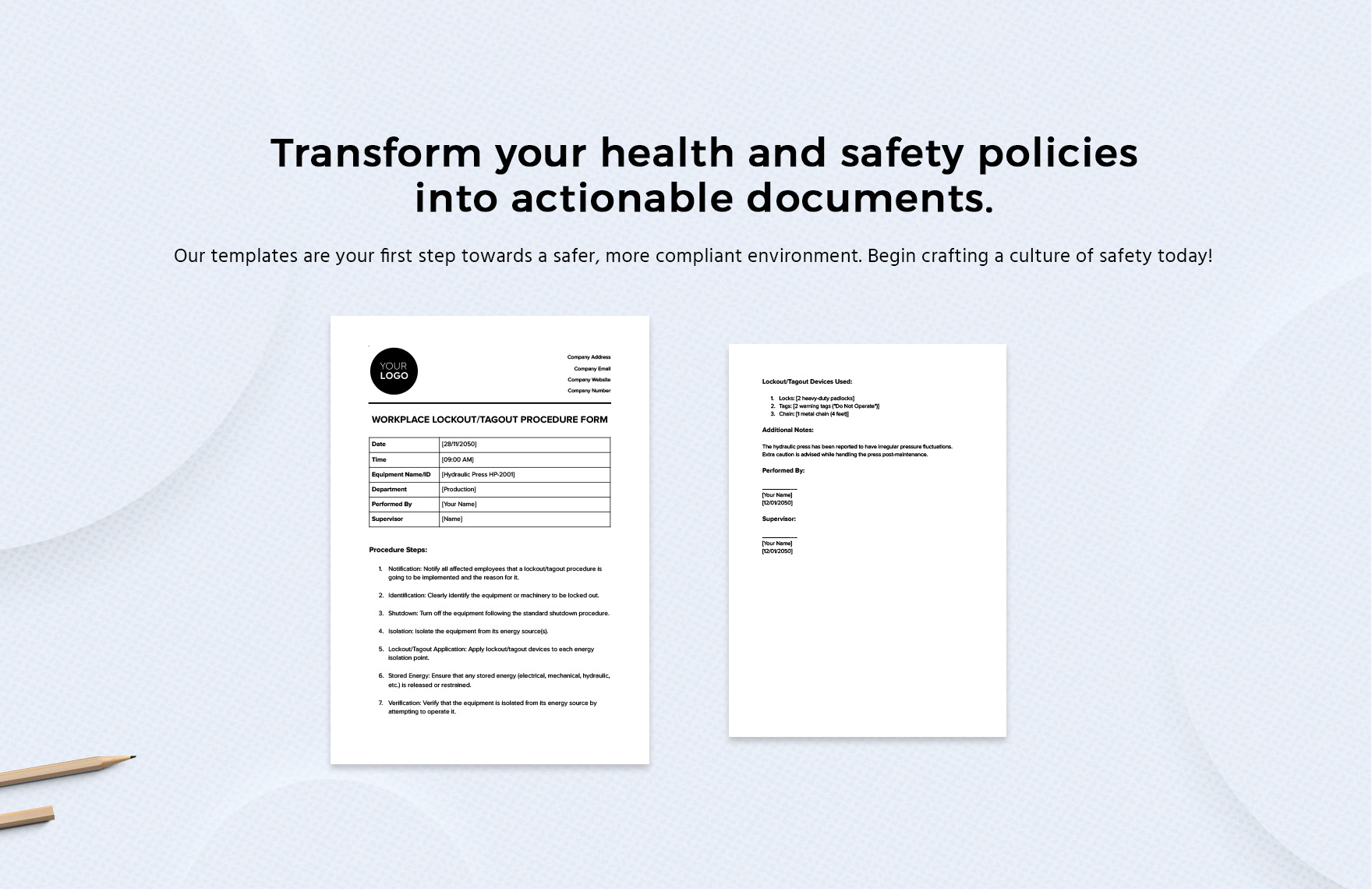
- Enable Digital Workflows
- Use fillable PDFs that can be saved, emailed, and archived automatically.
One automotive parts manufacturer reduced average lockout time by 22% after adding color-coded shutdown steps and photos of lock points directly in their PDF form.
Pitfalls of Over-Reliance on Templates
Templates are starting points—not final solutions. Blindly adopting a generic LOTO PDF form risks non-compliance. Consider:
- Regulatory updates: OSHA standards evolve. Your form must too.
- Equipment changes: New machinery? Retrofitting? Update the form immediately.
- Workflow gaps: A form that doesn’t match your actual process invites shortcuts.
Instead of treating the PDF as static, build a quarterly review cycle. Audit 10% of completed forms each month. Ask: Are steps being skipped? Are fields misunderstood? Use findings to refine the template.
Real-World Use Cases: LOTO PDF Forms in Action
Case 1: Chemical Plant Turnaround During a scheduled shutdown, 17 technicians worked on a reactor line. Using a shared digital LOTO PDF, each applied a lock and tagged the central hasp. The form auto-generated a master log, which supervisors used to track clearance status in real time. No miscommunications. No premature startups.
Case 2: Hospital Biomedical Team An MRI technician used a printable LOTO form to isolate a faulty power supply. The form’s “Energy Type” section listed cryogenic and magnetic hazards—often overlooked in standard templates. The structured layout ensured all risks were addressed before service began.
Case 3: Food Processing Facility After a series of near-misses, the plant introduced LOTO PDF forms with photo attachments. Technicians now snap a picture of their lock and tag, then embed it in the PDF before submission. Auditors can verify compliance remotely.
Final Step: Turn Your LOTO PDF Into a Living Document
A lock out tag out PDF form isn’t just a form—it’s a behavioral tool. It shapes how people think about risk, ownership, and procedure. To maximize its impact:
- Train employees to treat the form as sacred. No exceptions.
- Store completed forms in a centralized, searchable system.
- Audit at least monthly for completeness and accuracy.
- Update forms whenever equipment, personnel, or regulations change.
The best LOTO programs don’t just check boxes. They build a culture where documentation is as routine as wearing PPE. Start with a solid PDF form. Then make it part of your safety DNA.
FAQ
What should a lock out tag out PDF form include? It must list equipment details, authorized personnel, shutdown steps, lock/tag application, verification of zero energy, and re-energizing sign-off.
Are digital LOTO forms OSHA-compliant? Yes, if they include equivalent documentation, signatures, and audit trails as paper forms.
Can I use a free LOTO PDF template from the internet? Yes, but customize it to your equipment, energy sources, and procedures before use.
Who can fill out a LOTO PDF form? Only authorized employees trained in energy control procedures.
How long should completed LOTO forms be kept? At minimum, one year—longer if part of an incident investigation or regulatory audit.
Should contractors use the same LOTO PDF form? Yes. Ensure your form includes a contractor section with company, name, and training verification.
Can a LOTO form prevent all accidents? No, but it dramatically reduces risk by enforcing discipline, verification, and accountability.
FAQ
What should you look for in Lock Out Tag Out PDF Form Essentials for Safety Compliance? Focus on relevance, practical value, and how well the solution matches real user intent.
Is Lock Out Tag Out PDF Form Essentials for Safety Compliance suitable for beginners? That depends on the workflow, but a clear step-by-step approach usually makes it easier to start.
How do you compare options around Lock Out Tag Out PDF Form Essentials for Safety Compliance? Compare features, trust signals, limitations, pricing, and ease of implementation.
What mistakes should you avoid? Avoid generic choices, weak validation, and decisions based only on marketing claims.
What is the next best step? Shortlist the most relevant options, validate them quickly, and refine from real-world results.