Every year, hundreds of workers suffer serious injuries—or worse—during equipment servicing because energy sources weren’t properly controlled. A lockout/tagout (LOTO) toolbox talk in PDF format isn’t just another handout—it’s a frontline defense against preventable accidents. When done right, it transforms abstract safety rules into tangible, team-level conversations that reinforce accountability, clarify procedures, and reduce risk.
A well-designed lockout tagout toolbox talk PDF combines regulatory requirements with real-world application. It’s not a static document to file away—it’s a living tool meant to be reviewed, discussed, and personalized for the crew, equipment, and environment at hand.
Why Use a Lockout Tagout Toolbox Talk PDF?
Toolbox talks are short, focused safety meetings—typically 10 to 15 minutes—held at the start of a shift or before high-risk tasks. When centered on LOTO, they serve as crucial reminders of energy control procedures. Delivering this content in PDF format offers three key advantages:
- Consistency – A standardized PDF ensures all teams receive the same core message, minimizing miscommunication across shifts or locations.
- Accessibility – Digital files can be stored on tablets, shared via email, or printed on-site, making them usable in both office and field environments.
- Compliance Documentation – Signed attendance sheets attached to the PDF become part of your safety record, demonstrating due diligence during OSHA inspections.
Without a structured format, toolbox talks risk becoming repetitive or vague. A strong LOTO PDF keeps discussions focused on real hazards: a conveyor belt reactivating during maintenance, a hydraulic press releasing stored energy, or a mislabeled valve leading to accidental startup.
What Should a LOTO Toolbox Talk PDF Include?
A high-impact lockout tagout toolbox talk PDF is more than a checklist. It’s a conversation starter built around clarity, relevance, and action. Key components include:
1. Clear Objective Start with a one-sentence goal: “Today’s talk ensures everyone understands how to safely isolate energy sources before servicing equipment.” This sets focus and eliminates ambiguity.
2. Regulatory Context Briefly reference OSHA 29 CFR 1910.147—the Control of Hazardous Energy standard. Mentioning the rule reinforces that LOTO isn’t optional; it’s a legal requirement. Example line: “OSHA requires documented procedures, employee training, and periodic inspections to protect workers during servicing.”
3. Real-World Scenarios Use brief, relatable examples:
- “A mechanic bypasses lockout because ‘it’s just a quick fix’—equipment powers on, resulting in a crushed hand.”
- “A tag is left on a valve after maintenance. The next shift assumes it’s active, delaying production.”
These stories humanize the risks and make safety personal.
4. Step-by-Step LOTO Process Break down the 6 critical steps:
- Prepare for shutdown
- Notify affected employees
- Shut down equipment
- Isolate energy sources (valves, breakers, etc.)
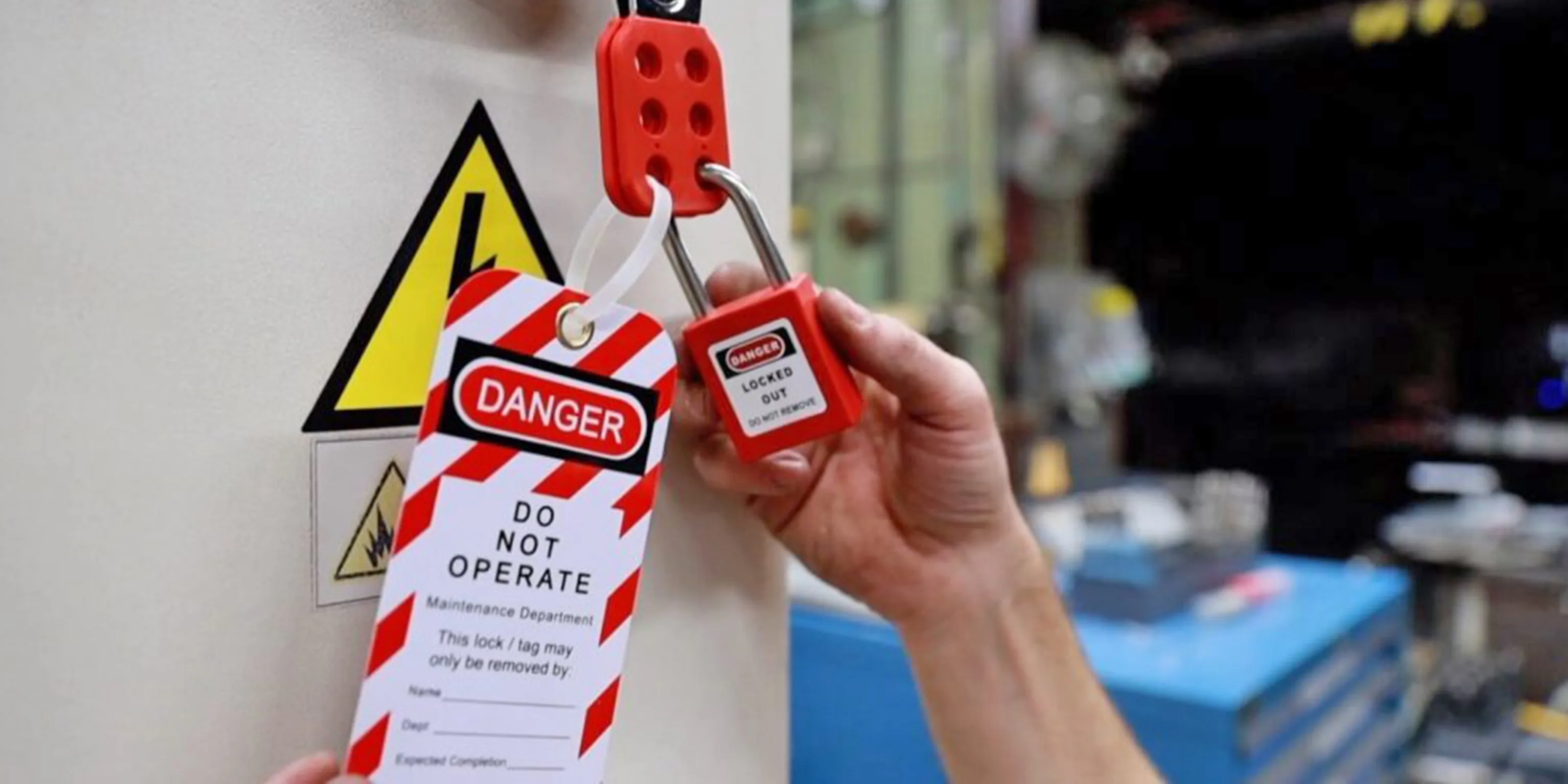
- Apply locks and tags
- Verify zero energy
Use icons or simple illustrations in the PDF to enhance visual retention.

5. Common Mistakes and How to Avoid Them Highlight frequent errors such as: - Using personal locks only without group procedures - Skipping energy verification (testing for zero energy) - Allowing unauthorized personnel to remove locks
Each mistake should include a corrective action. Example: “Mistake: Assuming a machine is off because it’s quiet. Fix: Always test controls after lockout to confirm no startup occurs.”
6. Discussion Prompts End
with open-ended questions to spark engagement:
- “Have you ever seen a near-miss during equipment maintenance?”
- “What would you do if you found a locked-out machine with no tag?”
These turn passive listeners into active participants.
7. Attendance and Sign-Off Section Include space for names, dates, and signatures. This transforms the PDF from an informational sheet into a compliance record.
How to Customize Your LOTO Toolbox Talk PDF
A generic LOTO PDF may check the box for documentation, but it won’t change behavior. Real impact comes from relevance.
For example, a manufacturing plant with robotic assembly lines should emphasize electrical and pneumatic energy sources. In contrast, a wastewater treatment facility might focus on hydraulic and gravitational hazards.
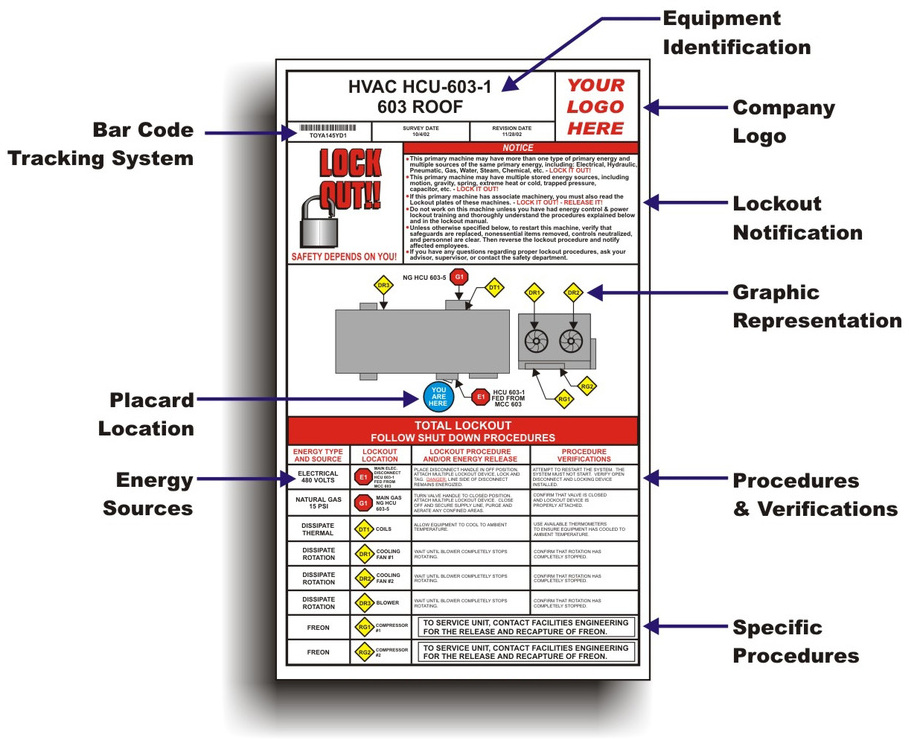
Tailoring tips: - Insert site-specific photos of equipment - Reference actual lockout points using asset IDs - Include facility maps showing energy isolation zones - Use your company’s lockout tags and procedures in examples
A PDF used at a food processing plant might show a lock applied to a meat grinder’s power disconnect, with a tag labeled in both English and Spanish to match the workforce.
This level of customization increases recognition and compliance. Workers are more likely to follow a procedure that mirrors their daily reality.
Best Practices for Delivering the Talk
Even the best PDF fails if the delivery is flat. Supervisors leading the talk should: - Read aloud key sections—don’t just hand out the document - Pause for questions after each major point - Demonstrate lock application if possible (e.g., show how to lock a disconnect switch) - Encourage storytelling—ask team members to share experiences
Avoid rushing. A 12-minute talk with engagement is better than a 5-minute read-through.
Use the PDF as a script, not a substitute for conversation. Mark key discussion points in bold or with callout boxes to guide the presenter.
Top 5 Sources for Lockout Tagout Toolbox Talk PDFs
Not all LOTO PDFs are created equal. Here are five trusted sources offering high-quality, customizable templates:
| Source | Key Features | Customization | Cost |
|---|---|---|---|
| OSHA.gov | Official compliance language, simple layout | Low – requires manual editing | Free |
| SafetyNow | Visual design, built-in quiz questions | High – editable fields | Free with registration |
| Creative Safety Supply | Multilingual options, equipment-specific versions | High – branded templates | Free download |
| EHS Daily Advisor | Industry-specific talks (e.g., construction, manufacturing) | Medium – adaptable format | Free with email sign-up |
| SafetyTek | Interactive PDFs with clickable checklists | High – digital sign-off ready | Free and paid tiers |
Choose a template that matches your technical level and workforce needs. A bilingual team benefits more from a Spanish-English version than a visually sparse OSHA handout.
Common Pitfalls to Avoid
Even experienced safety teams make mistakes with LOTO toolbox talks. Watch for these issues:
- Over-reliance on PDFs as proof of training – A signed sheet doesn’t mean understanding. Follow up with spot checks or quizzes.
- Using outdated equipment references – If machinery has changed, the PDF must too.
- Skipping verification discussion – Many talks cover lock application but ignore the critical “test for zero energy” step.
- One-size-fits-all approach – A talk for electricians shouldn’t be identical to one for machine operators.
Also, avoid jargon. Replace phrases like “energy-isolating device” with “the main power switch you lock out.” Clarity saves lives.
Integrating PDF Talks into Your Safety Program
A LOTO toolbox talk PDF shouldn’t live in isolation. It’s most effective when woven into broader safety workflows:
- Schedule quarterly refreshers – Human memory fades. Revisit LOTO talks every 3–4 months.
- Link to equipment-specific procedures – Reference your formal LOTO program documents in the footer.
- Conduct audits – Randomly select a recent PDF and verify locks in the field match the discussed procedure.
- Digitize records – Use cloud storage with access logs to track distribution and sign-offs.
Some companies tie toolbox talk completion to shift start checklists—no talk, no work. This enforces accountability without bureaucracy.
Final Thoughts: Turn PDFs into Protection
A lockout tagout toolbox talk PDF is more than a document—it’s a tool for changing behavior. When crafted with care, it turns regulatory compliance into daily practice. It gives supervisors a consistent framework and gives workers the clarity they need to go home safe.
Don’t treat it as paperwork. Treat it as protection.
Download a template, customize it for your site, discuss it with your team, and sign it with purpose. Repeat it regularly. Make it real.
Because behind every lock, tag, and signature is a person counting on the system to work.
How often should you conduct a LOTO toolbox talk? At minimum, quarterly—but more frequently after incidents, near-misses, or procedural changes.
Can a PDF replace formal LOTO training? No. Toolbox talks reinforce training but don’t substitute for initial and annual LOTO certification.
Should contractors receive the same LOTO PDF? Yes. Include them in talks and ensure they follow your site’s lockout procedures.
What if employees can’t read the PDF? Use visual aids, translate when necessary, and always explain verbally during the talk.
How detailed should the PDF be? Keep it under 2 pages. Focus on key steps, risks, and discussion—not full procedural manuals.
Can I edit a free LOTO PDF template? Yes, most free templates are designed for customization. Just ensure edits align with OSHA standards.
Is a digital signature valid on a toolbox talk PDF? Yes, if your system maintains a secure, time-stamped record accessible for audits.
FAQ
What should you look for in Lockout Tagout Toolbox Talk PDF Guide for Safety Teams? Focus on relevance, practical value, and how well the solution matches real user intent.
Is Lockout Tagout Toolbox Talk PDF Guide for Safety Teams suitable for beginners? That depends on the workflow, but a clear step-by-step approach usually makes it easier to start.
How do you compare options around Lockout Tagout Toolbox Talk PDF Guide for Safety Teams? Compare features, trust signals, limitations, pricing, and ease of implementation.
What mistakes should you avoid? Avoid generic choices, weak validation, and decisions based only on marketing claims.
What is the next best step? Shortlist the most relevant options, validate them quickly, and refine from real-world results.